
CarPlay / Android Auto Interface for Honda Accord 2018-2019
Wireless CarPlay/Android Auto and A/V interface compatible with most of 2018-2019 Honda Accord vehicles. Our Honda interface kit adds wired and wireless CarPlay and Android Auto to your factory radio screen, fully integrated with the OEM knob on the dash.
Vehicle system: Honda Accord (10th generation)
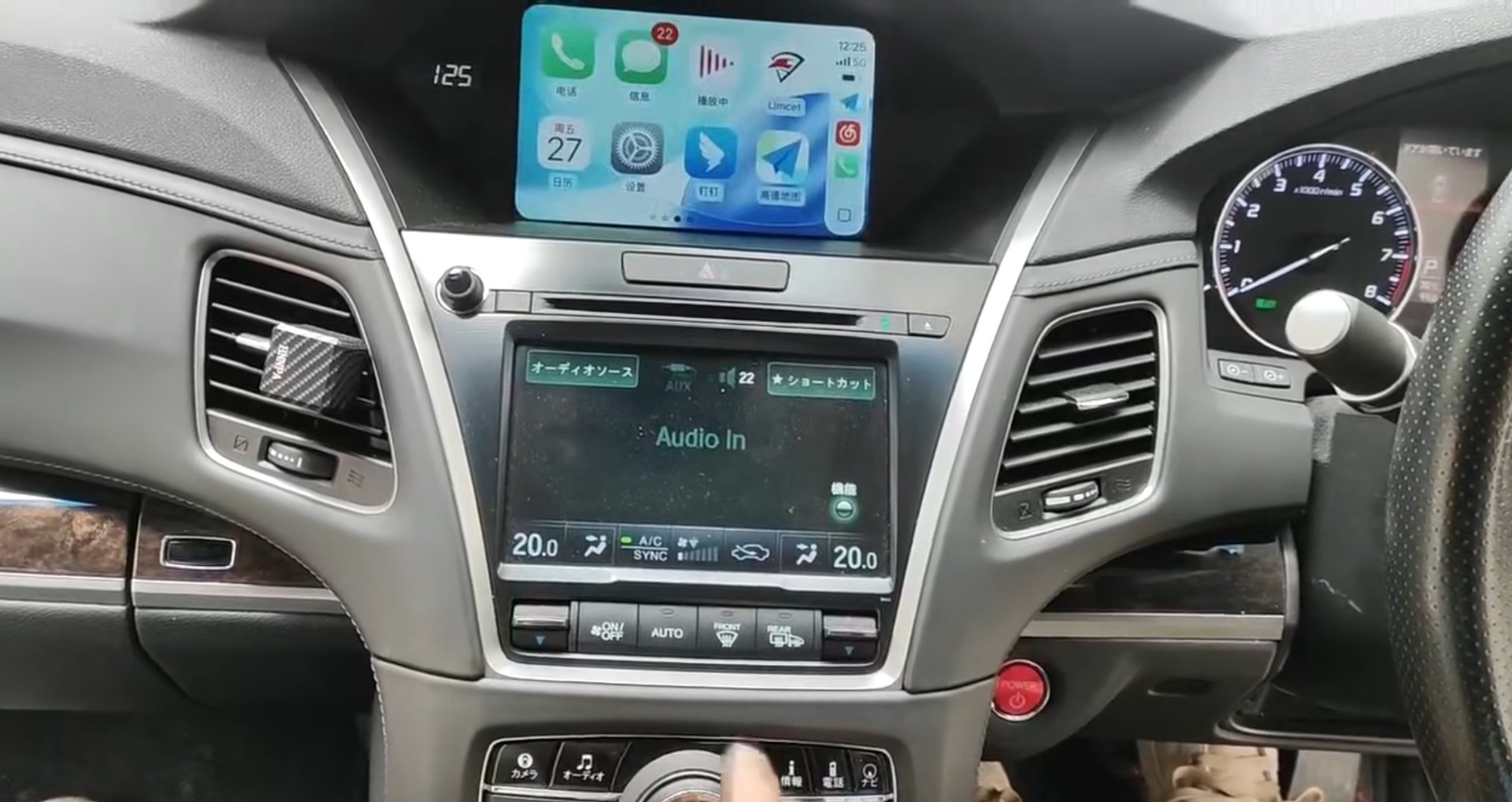
Tenth-generation Accord trims - 230TURBO Comfort, 260TURBO Elite and Luxury, and the 2.0L hybrid Cool and Premier editions - run a 7-inch display with the radio below it. The signal is taken at the radio, so the screen does not have to be opened, which keeps the factory seal and saves a fitting step.
Honda and Acura head units are addressed at the radio, with LVDS carried to the display. On dual-screen cars we drive the upper screen and keep the lower screen on its original functions.
What stays exactly as it is
- Factory touchscreen or upper display and steering-wheel buttons
- Factory Bluetooth hands-free and audio streaming
- Factory reverse camera and lane-watch camera where fitted
- Factory microphone
- Climate and vehicle settings screens
- Factory radio and USB input
How it connects: CAN at the radio; LVDS loop-through; no need to open the display. Nothing is flashed, nothing is coded, and the factory menu is never overwritten - CarPlay and Android Auto simply become an additional source the driver selects.
Key features
- Wireless & wired CarPlay
- Wireless & wired Android Auto
- MirrorLink / smartphone mirroring
- Factory Bluetooth hands-free and audio retained
- Reverse camera input - factory path looped through
- Front camera input
- Dynamic parking guidelines
- 360° camera / DVR ready (optional)
- Plug-and-play harness - no wire cutting, no coding
- 3-year warranty
| Vehicle system | Honda Accord (10th generation) |
| Screen | 7" |
| Smartphone integration | Wireless & wired CarPlay · Wireless & wired Android Auto · MirrorLink |
| Control integration | Factory controller and steering-wheel buttons (CANBUS decoded) |
| Factory Bluetooth | Retained - hands-free and audio streaming keep working |
| Camera inputs | Reverse camera (factory path retained) · front camera input · 360° / DVR optional |
| Parking guidelines | Dynamic guidelines supported |
| CANBUS tap | CAN at the radio; LVDS loop-through; no need to open the display |
| Installation | Plug-and-play harness · no wire cutting · no coding |
| Warranty | 3 years against manufacturing defects |
| Support | Firmware updates · remote diagnosis · direct technical support |
Note: Trim-specific: the listed Accord trims are covered. Send the trim and VIN for other markets.
Compatibility
Compatibility list for this platform is being finalised — send us your vehicle details and we confirm fitment.
Fitment is matched to model year, build date and option codes. Send us the vehicle details (or a photo of the main menu screen) and we confirm the correct interface before dispatch.
Before you order
The questions installers and importers ask us most on this platform.
Need this Honda Accord interface for your market?
Tell us the platform, quantity and destination — we reply with availability, lead time and wholesale pricing within one business day.
- Tell us the model years you sell into and roughly how many you need.
- We reply within one business day with unit pricing, freight options and lead time.
- We confirm fitment from your VIN or a photo of the factory screen before dispatch.